Product · Features
From demand to the cost of every scenario, in five stages
Turnomix covers the entire journey and works the same for retail, manufacturing, logistics, security, cleaning, catering, or any operation organized by shifts. Every feature belongs to a stage of the process.
01InputRequirements
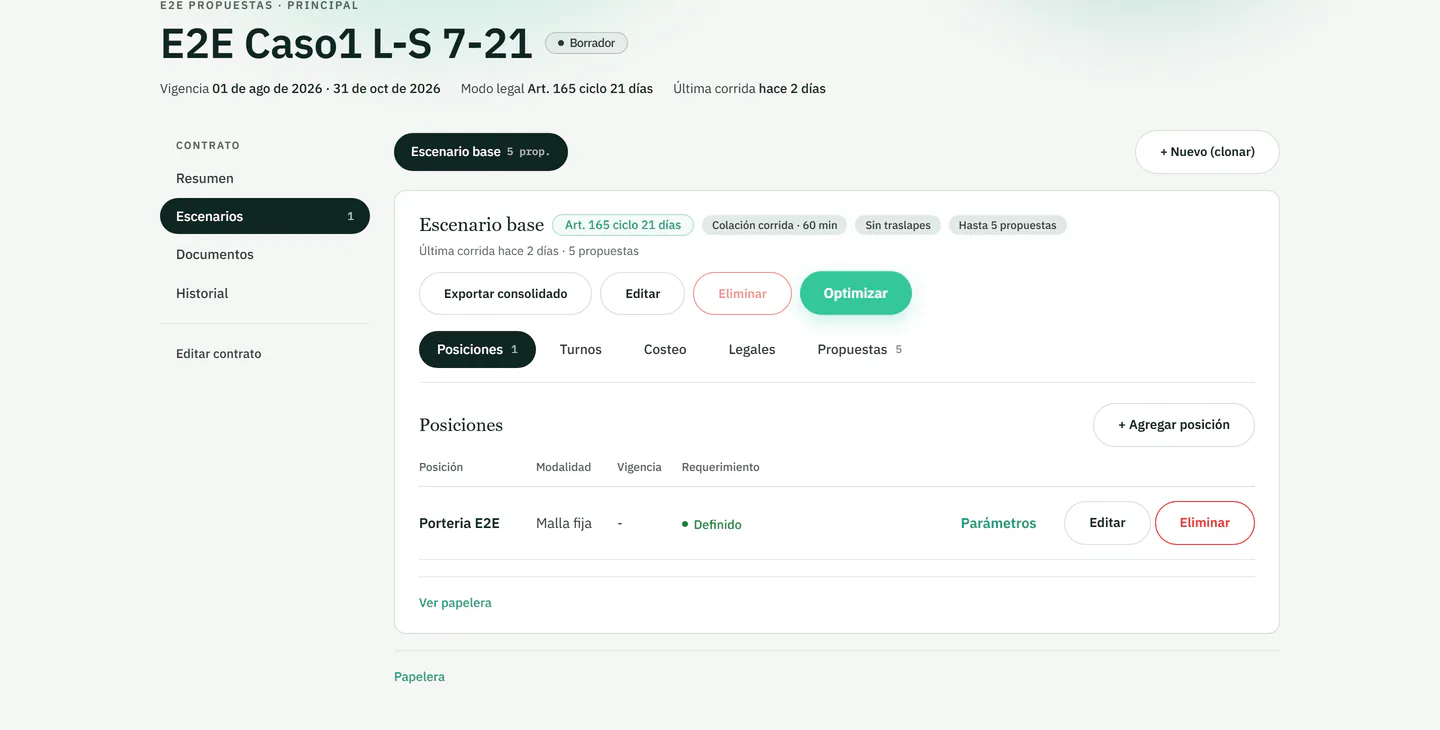
Coverage demand is written down by post, time slot and day
You upload what the contract requires you to cover: how much staff you need, in which time slot and on which day of the week. That requirement is the input to every later stage.
- 01.1
Demand by time slot
How much staff you need in each time slot, all seven days of the week.
- 01.2
Holidays and night shifts
Public holidays and night shifts are part of the same requirement.
- 01.3
One model for every sector
The same structure works for stores, plants, warehouses and security, cleaning or catering services.
02StageStaff
Staffing comes from the requirement, as core and backup alternatives
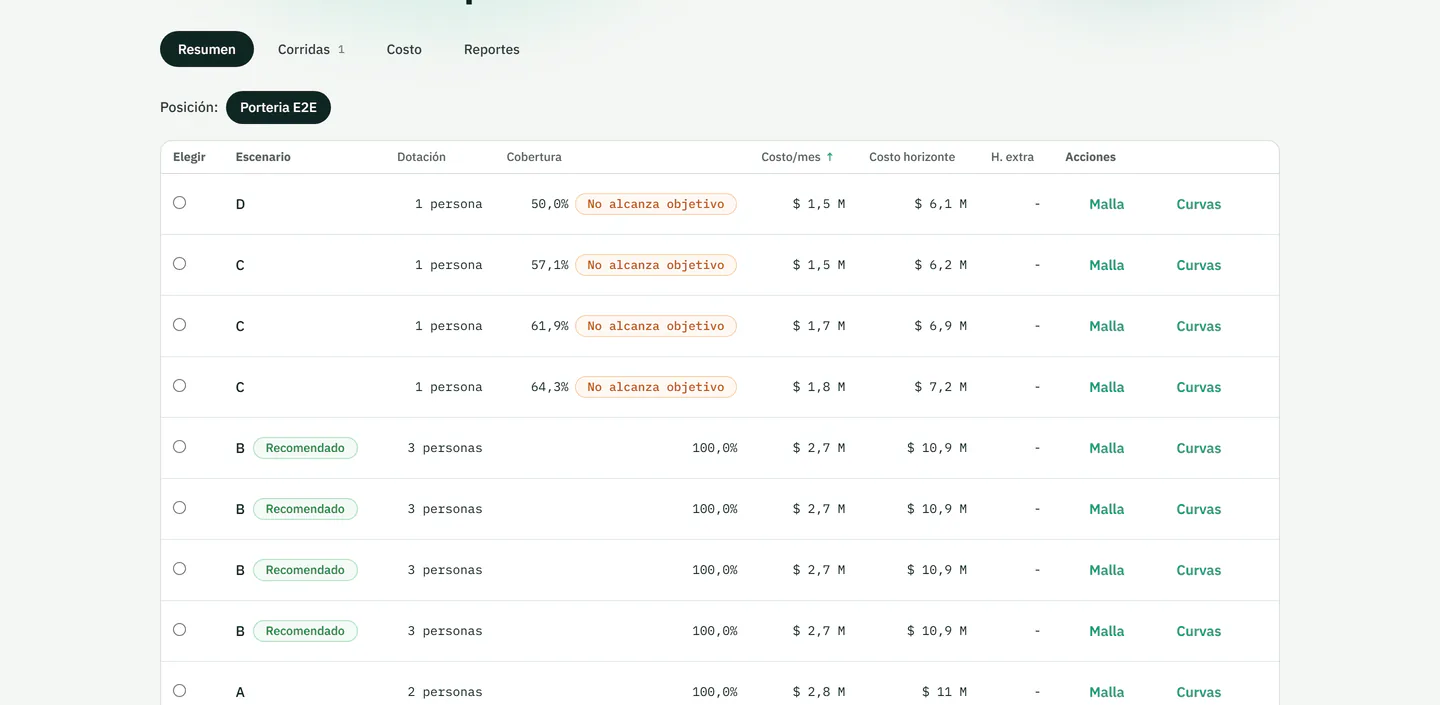
From that demand, Turnomix calculates feasible core and backup staffing alternatives and models their cost under the evaluated configuration.
- 02.1
Feasible alternatives
Several possible staffing levels for the same requirement, instead of a single figure.
- 02.2
Core and backup staff
Each alternative combines core staff and backup staff.
- 02.3
Coverage against target
Alternatives that fall short of the coverage target are flagged in the table.
03StageShifts
Every shift strategy is saved as a comparable scenario
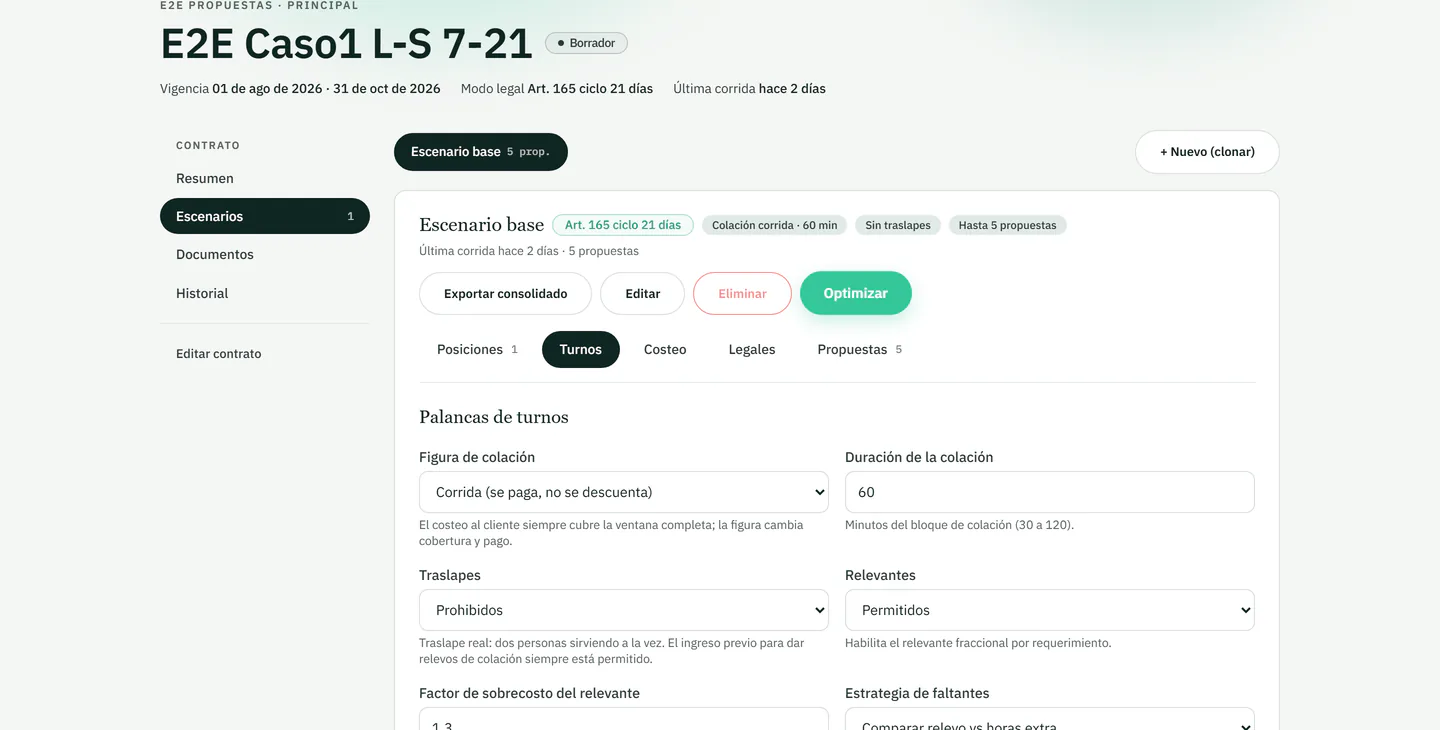
Compare several ways to cover the same contract. Every scenario is saved and editable, without losing earlier versions.
- 03.1
Shift length
8- or 12-hour shifts to cover the same requirement.
- 03.2
Relief or overtime
How shortfalls are covered is set in each scenario.
- 03.3
Meal-break setup
Continuous or relieved meal break, with its length in minutes.
04StageCosts
The cost of every scenario is explained by its assumptions
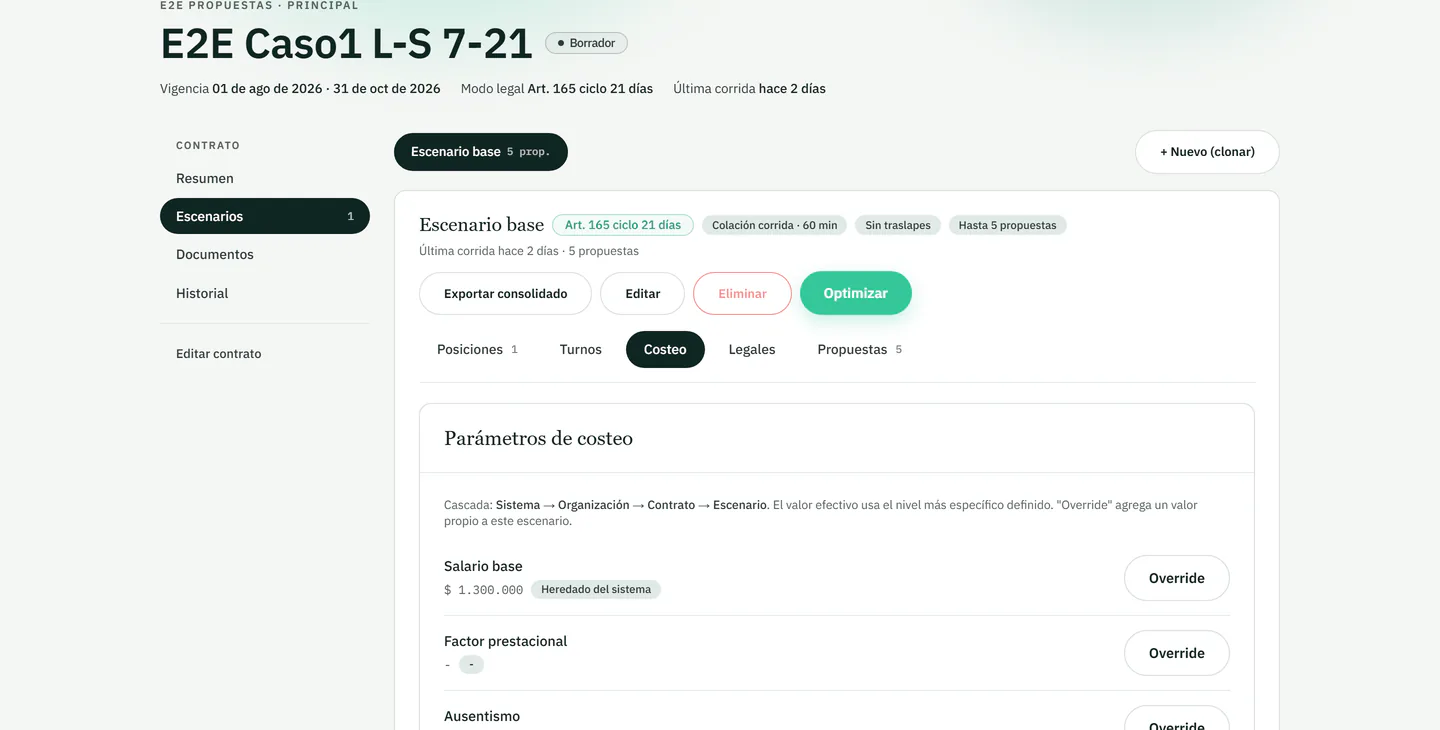
Each scenario shows its staffing cost according to the configured components. You can change alternatives and review which assumptions explain the difference before using a figure.
- 04.1
Per-country parameters
Working-hour limits, rest periods and surcharges configurable for the operation being evaluated.
- 04.2
Cascading parameters
System, organization, contract and scenario: the most specific level defined applies.
- 04.3
Financial simulation
You change an alternative and review which assumptions explain the cost difference.
The responsible team reviews the validity and applicability of the parameters before using a scenario.
05OutputDecision
Strategies are compared side by side before deciding
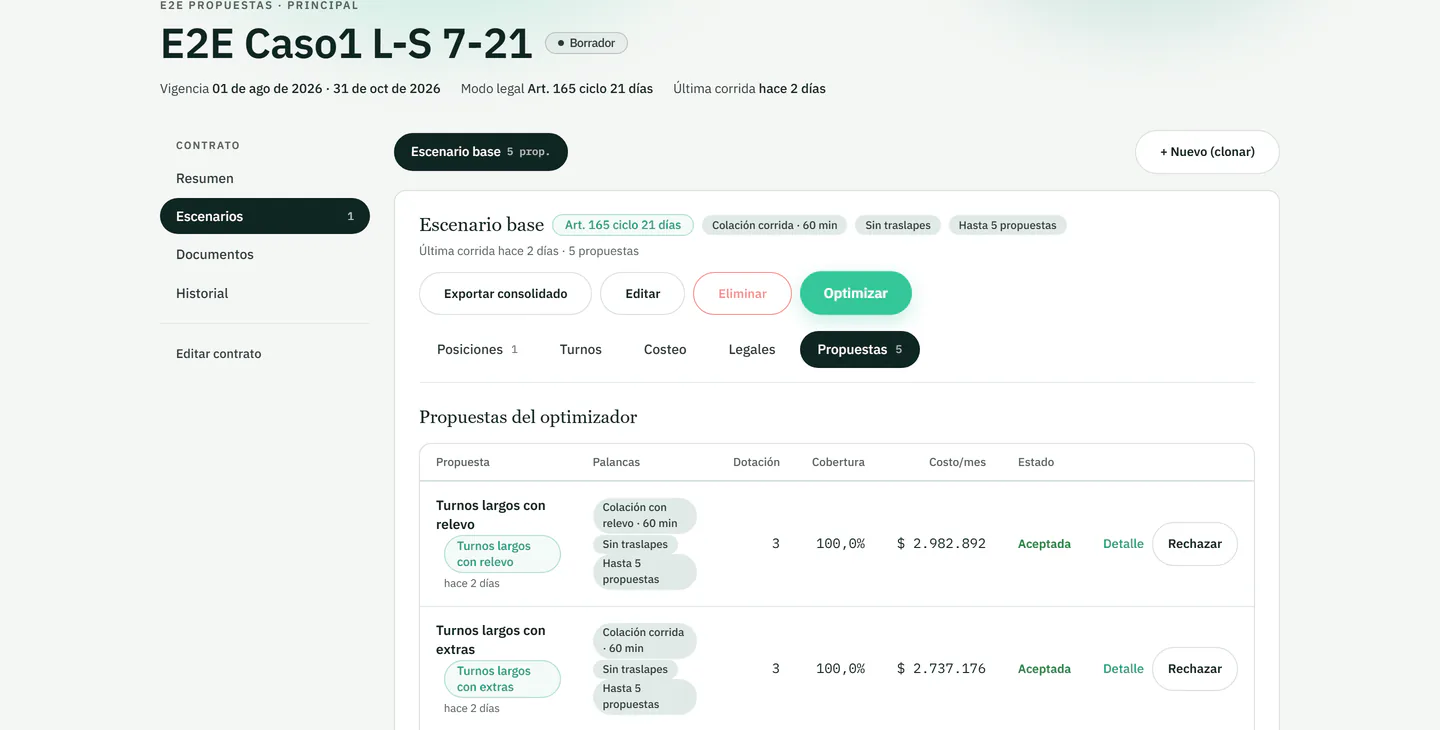
When you generate several strategies for the same contract, Turnomix presents their coverage, modeled cost and parameters so the team can compare them explicitly.
- 05.1
Proposal comparison
Headcount, coverage and monthly cost of each strategy in a single table.
- 05.2
Visible levers
Each proposal shows the meal break, overlaps and proposal cap it was generated with.
- 05.3
Export and reports
Staffing, shift schedule and costing, at the level of detail a proposal or internal review needs.
Frequently asked questions
Before you request a demo
How do I start using Turnomix?
Turnomix has no public sign-up. You request a demo, we talk through your operation, and if it's a fit, we activate your account under the agreed terms.
What happens to the data I upload?
The data from your contracts and staffing is yours. We don't share or sell it to third parties. Details are in the privacy policy.
Does Turnomix replace my legal or HR team?
No. Turnomix is a decision-support tool: it calculates staffing and costs based on the legal parameters we define together, but final responsibility for regulatory compliance remains yours.
Does it work in my country?
The engine is designed to be parameterized country by country. Tell us your market in the demo and we'll assess the available regulatory coverage.
Is it only for security companies?
No. Security is one of several verticals: it also works for retail and services, manufacturing and logistics, cleaning, catering, and any operation that runs on shifts.
Is there a free plan or open trial?
Not for now. Turnomix is a B2B service with no freemium plan; commercial terms are defined for your operation in the initial conversation.
See the engine applied to your next contract
In the demo we review a representative requirement from your operation and how coverage and cost change across scenarios.